This is a step by step guide to activate your Nmax Online Passbook account with SUCC
1
Get Your SUCC Nmax Account ID
First visit the SUCC Front Desk to get your unique SUCC Nmax account ID.
Please select your activation method:
2
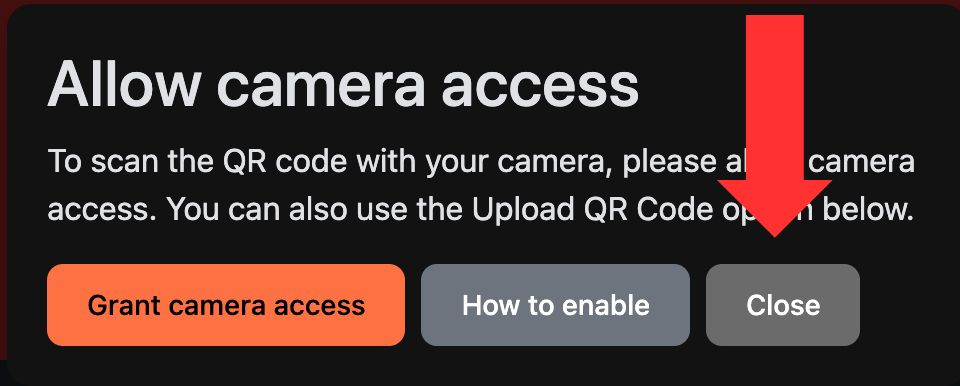
Open the Activation Scanner
Click This Link to open the CoopBase Activation Scanner.
3-6
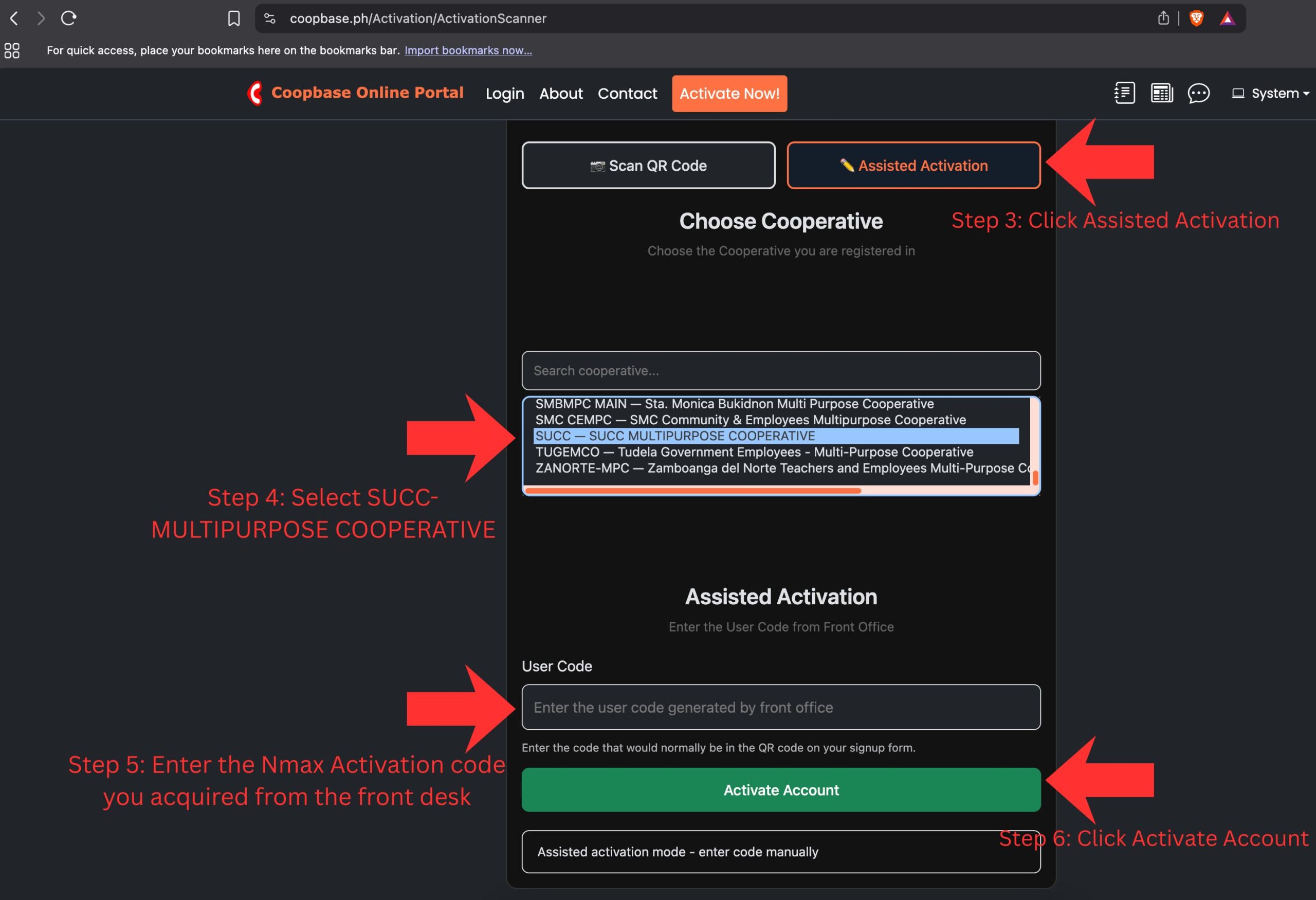
Complete the Activation Process
Follow these steps to complete your activation:
7
Set Your Login Credentials
You will be taken to a page where you will enter your username and password. Enter the required data and confirm.
8
Login to Your Account
If you aren’t already logged in, click this link and login using the username and password you confirmed in Step 7.
1
Download the Mobile App
If you haven’t already, please download the app from the link in the home page or click this link.
2
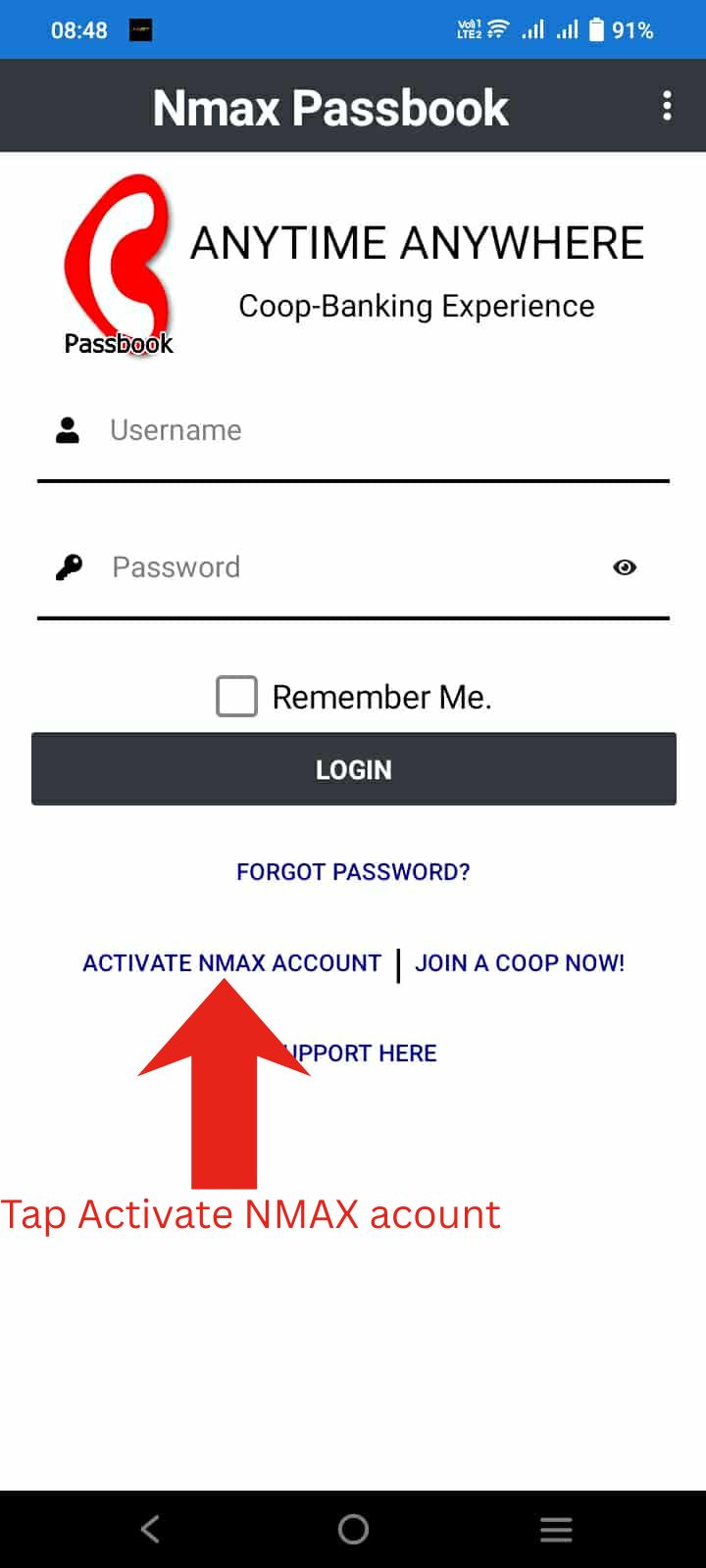
Click Activate Nmax Account
Open the app and tap on “Activate Nmax Account”.
3
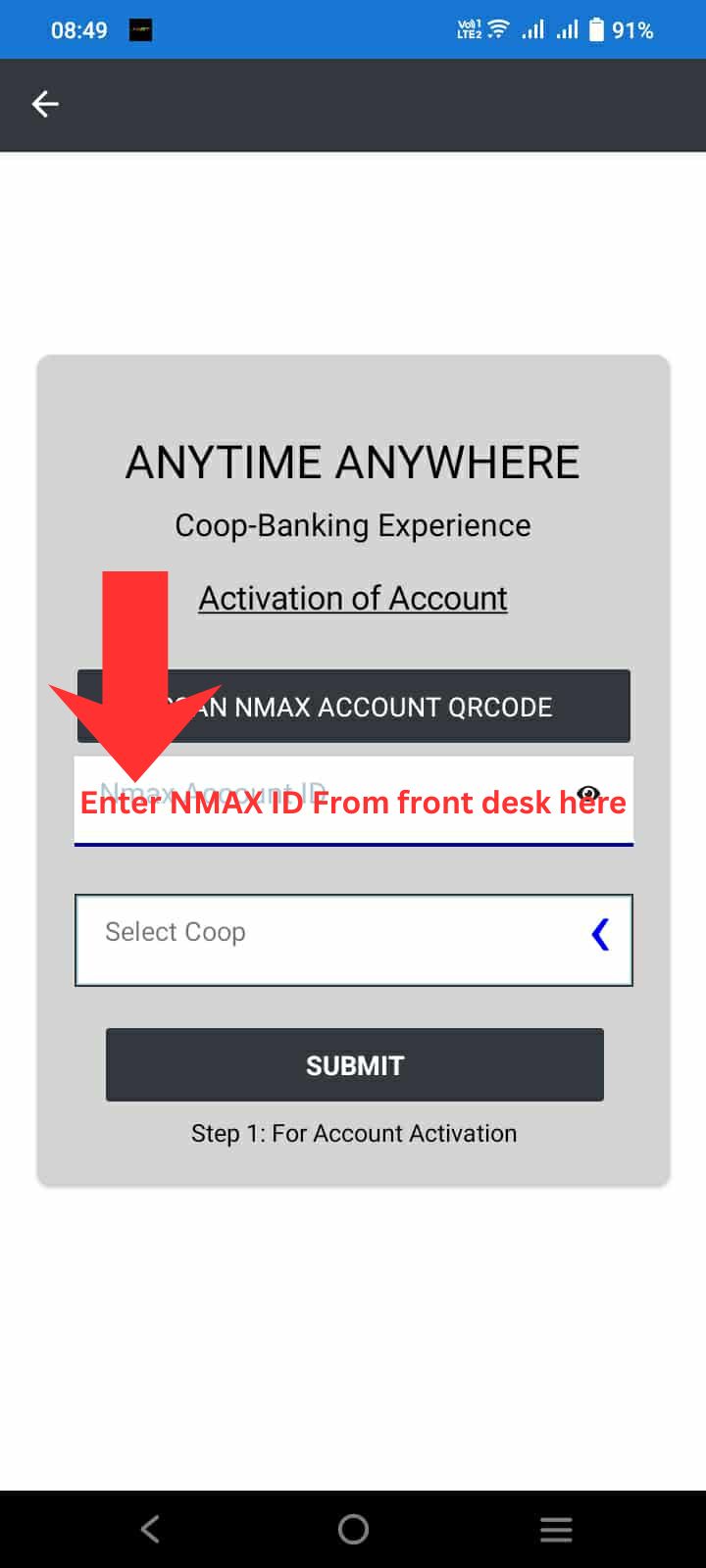
Enter Your Nmax Account ID
Enter the Nmax account ID you received from the SUCC front desk.
4-5
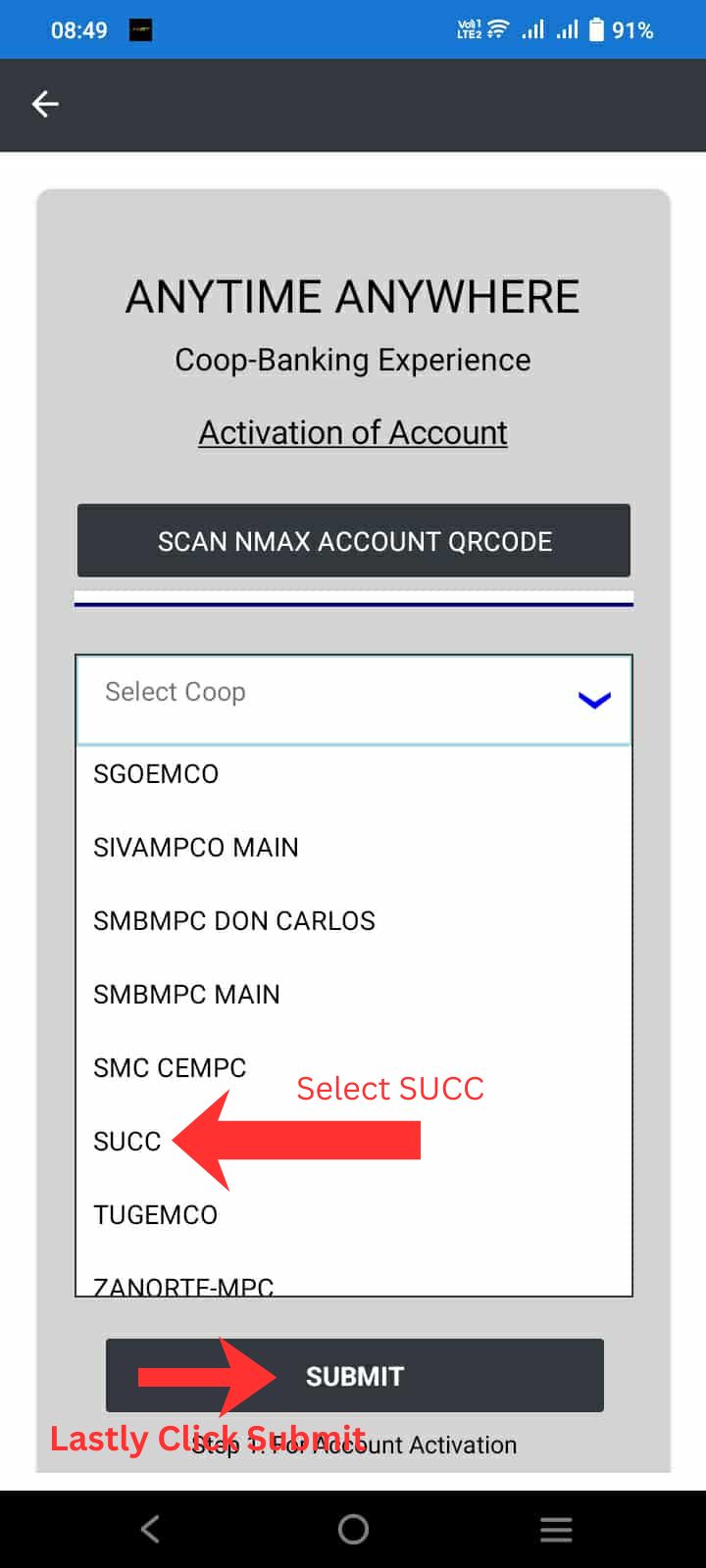
Select SUCC and Submit
Step 4: Select SUCC from the list of cooperatives
Step 5: Tap Submit
6
Create Your Login Credentials
Enter the username and password you wish to use for your account.
7
Login to Your Account
Log-in using the username and password you entered in Step 6.